



Haylou GT1 TWS Fingerprint Touch Bluetooth Earphones, HD Stereo Wireless Headphones,Noise Cancelling Headset
$ 9.70
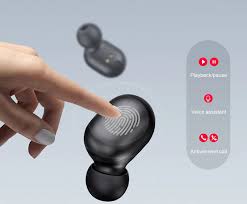
Brand Name: Haylou Connectors: None Control Button: No Active Noise-Cancellation: Yes Style: True Wireless Communication: Wireless Vocalism Principle: Dynamic Volume Control: No Wireless Type: bluetooth Codecs: AAC Support Memory Card: No With Microphone: Yes Model Number: Bluetooth 5.0 Resistance: 32Ω Frequency Response Range: 20-20000Hz Function: for Video Game Function: For Mobile Phone Function: For iPod Function: Sport Sensitivity: 110±5dB Waterproof: Yes Is wireless: Yes Line Length: None Plug Type: Wireless Support APP: Yes Charging time(earphones): approx. 1hr Charging time(case): approx. 2hr Music time: about 15hr Battery capacity(case): 300mAh Battery capacity(earphones): 43mAh Charging interface: Micro USB isruptive Advanced Bluetooth 5.0. TechPowered by global professional Realtek chipset Superior Sound Quality. 7.2mm Dynamic driver | High polymer diaphragm | Advanced Audio Coding (AAC) 12 Hours of Battery life. Charging case 8.5H plus earbuds 3.5H Ultra MINI Design. Compact design with only 26gram weight IPX5 Waterproof. With professional lab certificated Zero Pressure Touch Control DSP Noise Cancelling Smart Voice Assistant. Siri | Google Assistant | Xiao Ai Magnetic Lid. Stable and dust-proof Q: Will the earbuds turn off automatically after been put into the charger case A: Yes, it will. Put them into the charger box without turning off them manually. After taking out the earbuds, turn on them and they will pair automatically. Of course you can single use the left or the right. Q: How to restore the factory settings A: Step1: Turn off the earbuds: Press and hold both earbuds for 5 seconds, RELEASE after blink red. Step2: Press and hold both earbuds for 15 seconds, DO NOT release when earbuds alternately flashes white and red for the first time. RELEASE after second time. Step3: Put earbuds back into charging case. Step4: Take earbuds out from the charging case. Both earbuds blink white firstly, then the right blinks white slowly. Then the earbuds are waiting for pairing device. Original Product Show
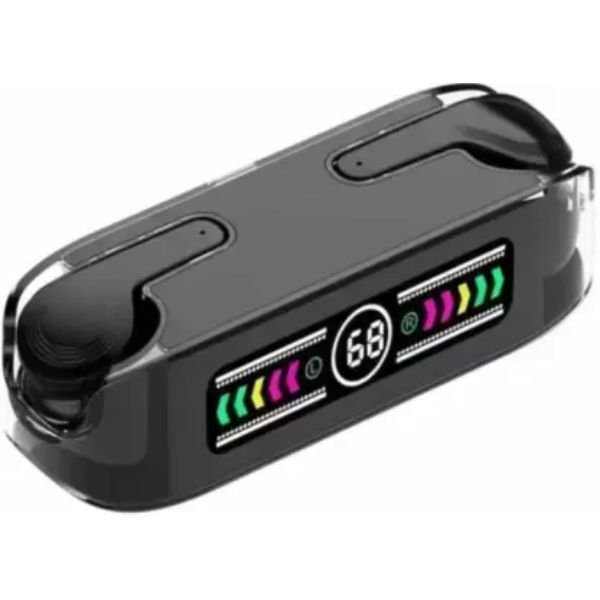 M12 Max Compact Bluetooth Earbuds 9D Stereo